Custom Appointment Reminders
Create your own custom SMS reminders in the new builder and run a compliance check before they start sending.
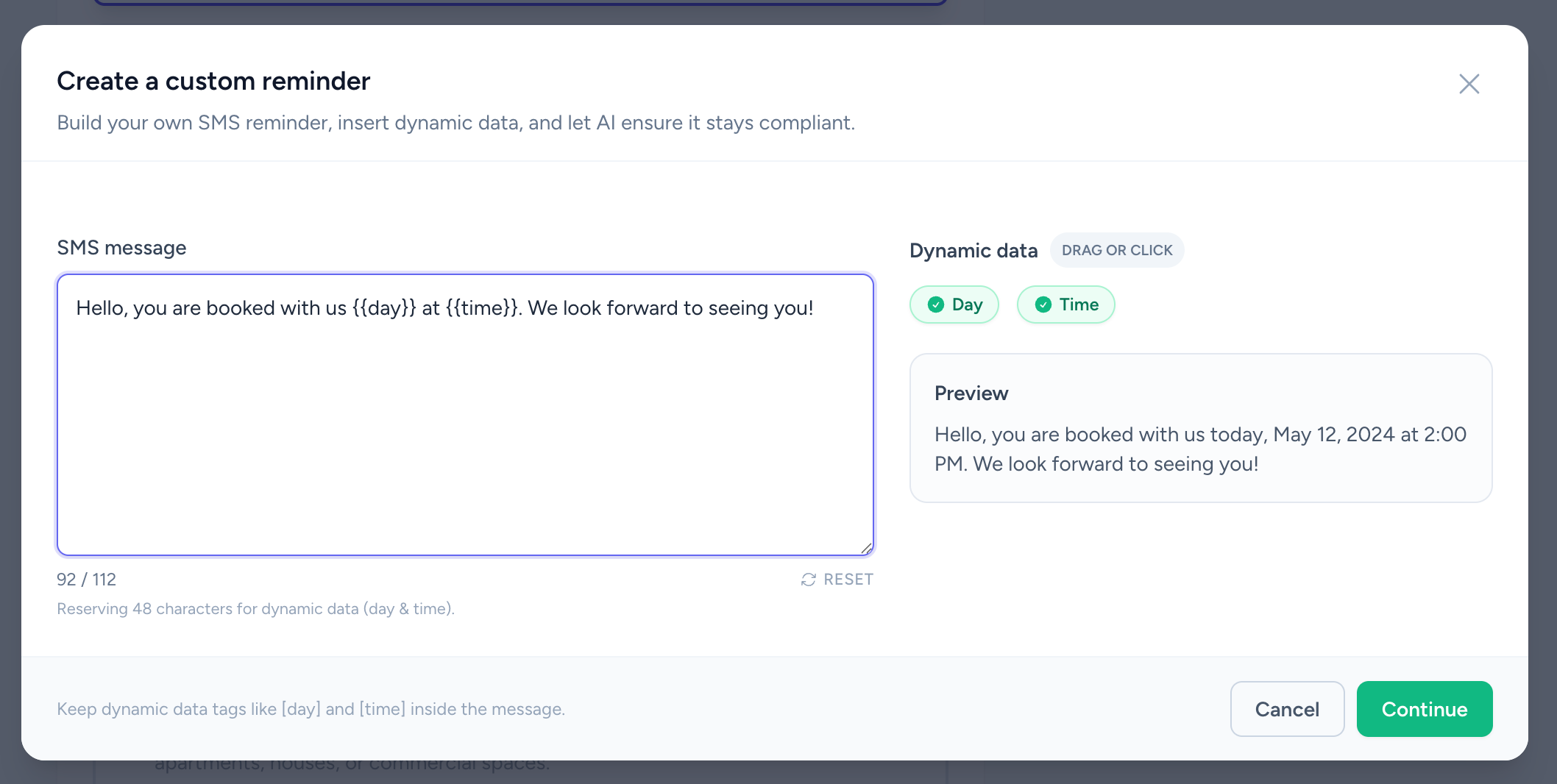
What Changed
- "Craft your own reminder" opens a full-screen "Create a custom reminder" modal with rich editing
- Drag or click dynamic tags (day, time, name) into the body and watch the live preview update
- Before saving, "Run compliance check" blocks links, promo wording, and missing placeholders before "Continue" activates
Why It Matters
You can still use 20+ templates from our library, but now you can create totally custom SMS reminders. Our AI technology checks if everything is correct with the message and gives you suggestions.
Key Benefits
- Custom copy while staying within character limits
- AI-powered compliance checks against links, discounts, and placeholder mistakes
How to Use
-
Start calendar setup
On the dashboard click "Add SMS reminders" and choose the calendar.
-
Choose the builder
In Step 2 select "Craft your own reminder" (or tap "Create custom message").
-
Compose the SMS
Type your text, add dynamic tags from "Dynamic data" chips, and check the preview. Use "Insert default SMS" or "Reset" if needed.
-
Run compliance & save
Press "Run compliance check"; once approved, hit "Continue" to store the reminder and finish setup.
Related Resources
Try custom reminders yourself
Start creating personalized SMS appointment reminders in under 60 seconds. Free trial, no credit card required.
Start Free Trial